Work in progress
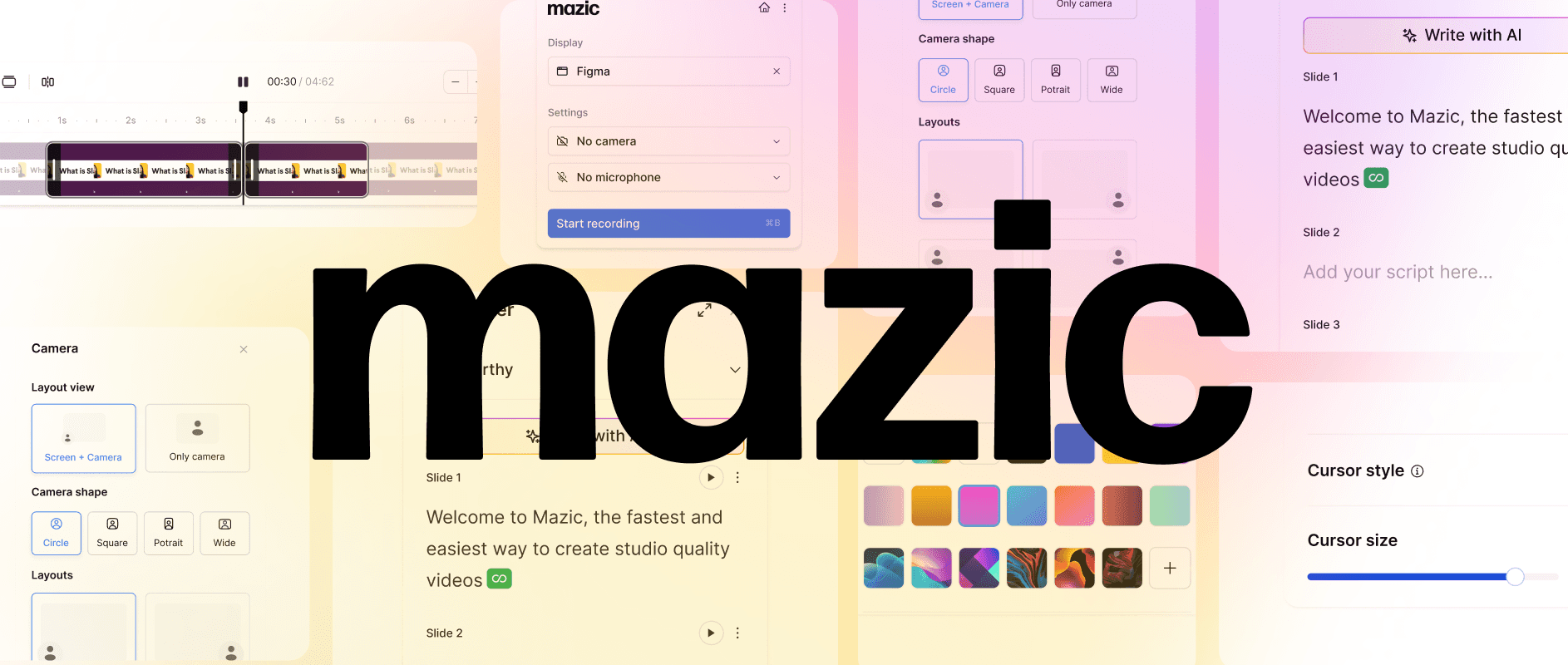
Mazic Beta Version
Role and Responsibilities
Led Product thinking and Design, end to end.
The Team
2 Founders, 2 developers, and 1 designer.
Timeline
2 months
Market
B2B
Context
In 2024, product videos are essential for every business. With rising demand in the software world, companies rely on videos—whether marketing demos, onboarding tutorials, or product walkthroughs-to boost engagement, drive conversions, and enhance the entire customer journey. From acquisition to retention, these videos strengthen brand awareness, improve user understanding, and reduce support queries.
Product Overview
Demo video created by Mazic
Creating a high-quality SaaS product video can take hours—from scripting to recording and editing.
It’s a time-consuming and expensive process.
After multiple pivots across various products, Mazic was created with a singular mission: to help creators produce faster, better product demo videos.
By leveraging AI, Mazic simplifies the entire workflow, completing everything in just minutes—without the need for extra tools or costly revisions.
It makes producing professional SaaS videos faster, easier, and more affordable than ever before.
Business Achievements 🤩
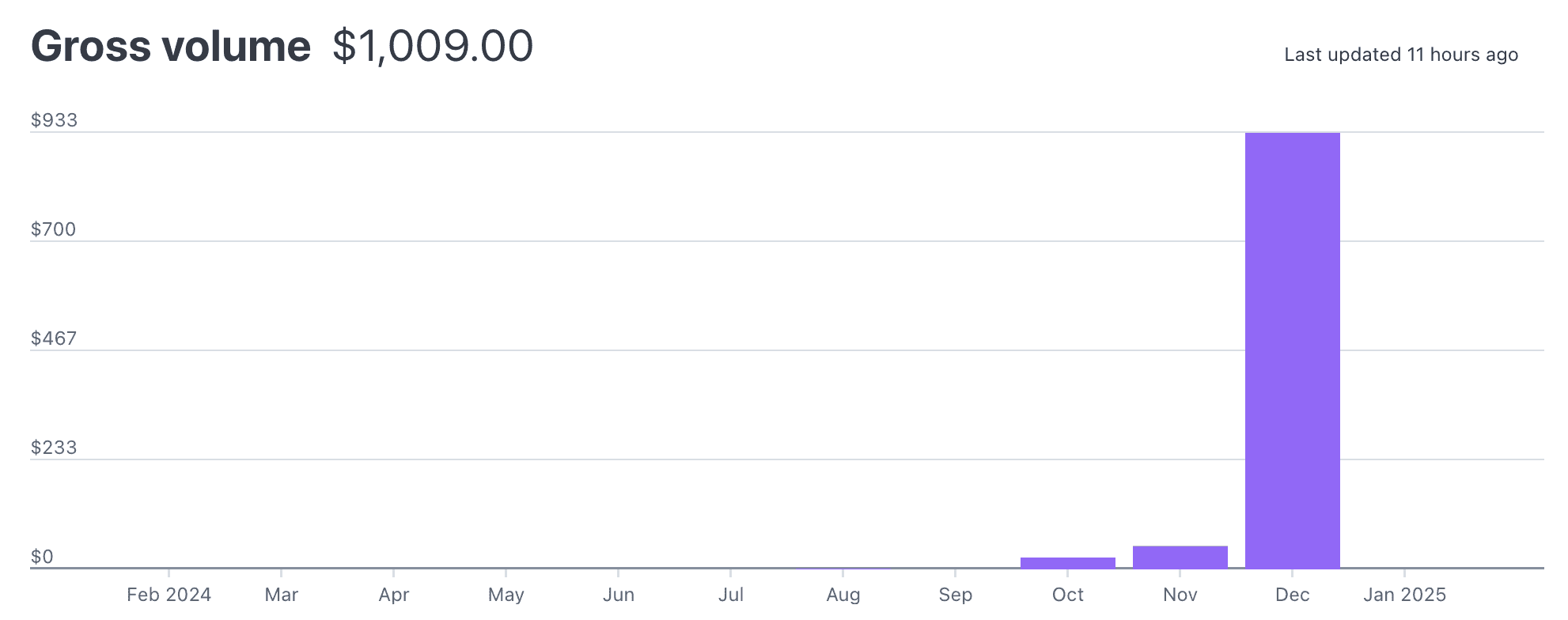
December 2024 Milestone: Mazic generated $1,009 in gross revenue.
Beta Launch: Released the beta version in September.
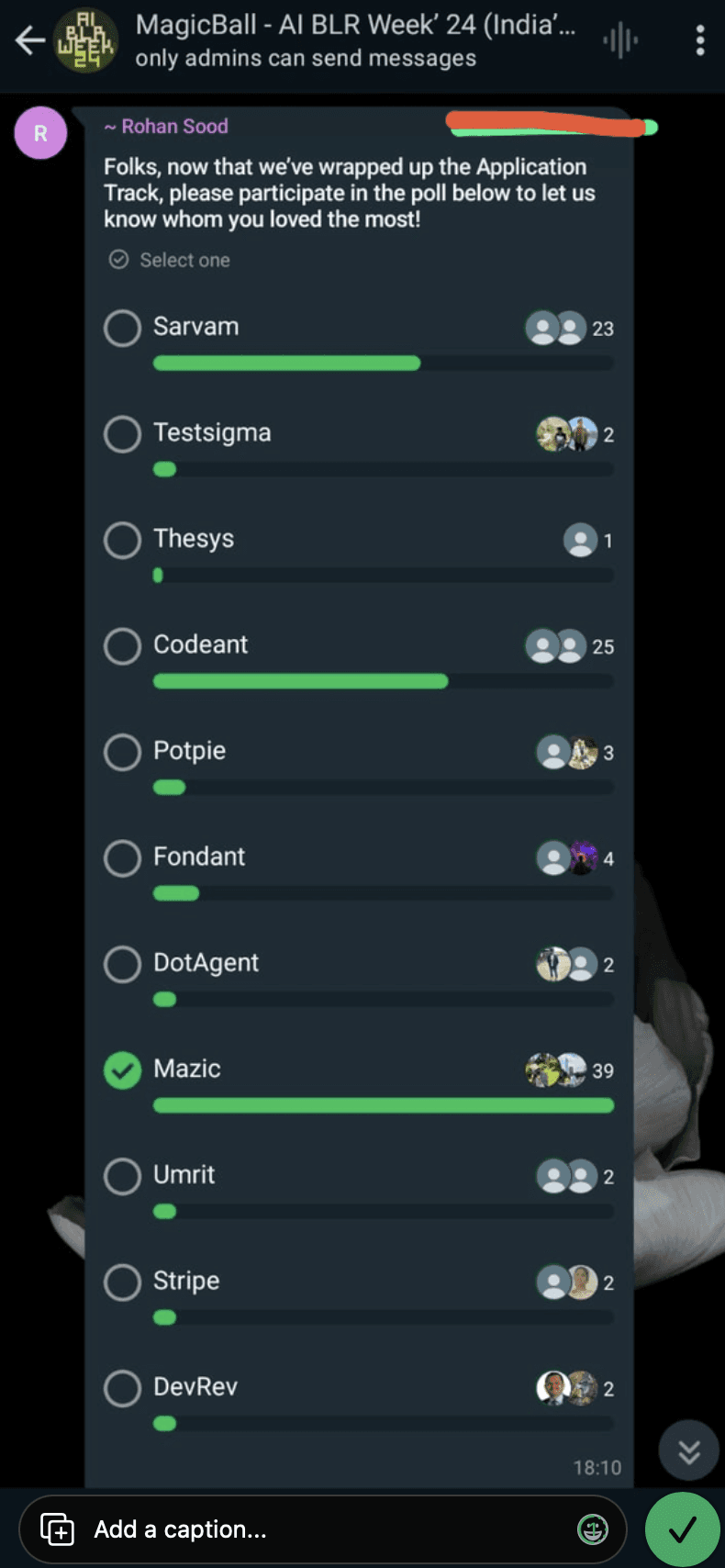
Achieved 100 beta users on day 1 at the Magic Balls AI event.
Recognized as the most impactful and loved startup at the event.
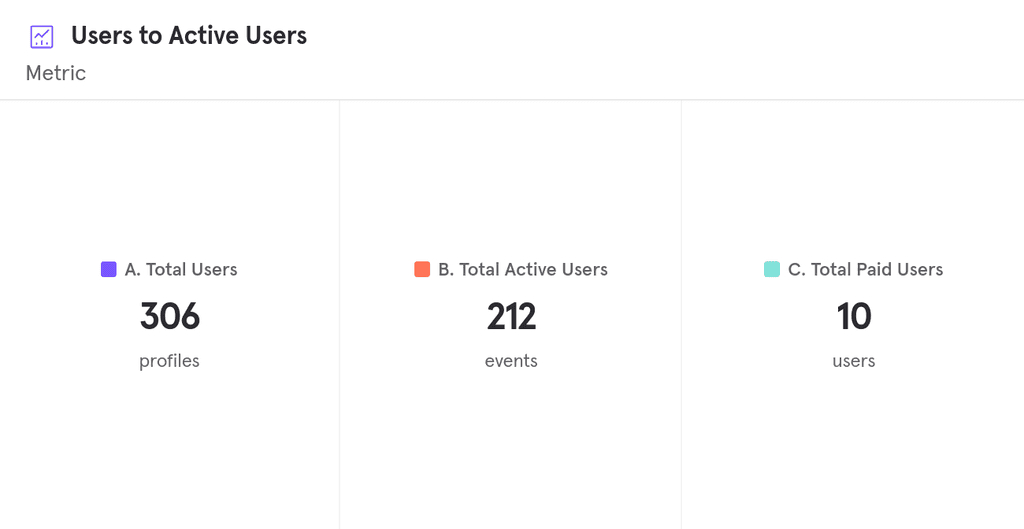
Growth in 2 Months: Gained 200+ active users within just 2 months of public launch.
Problems 😓
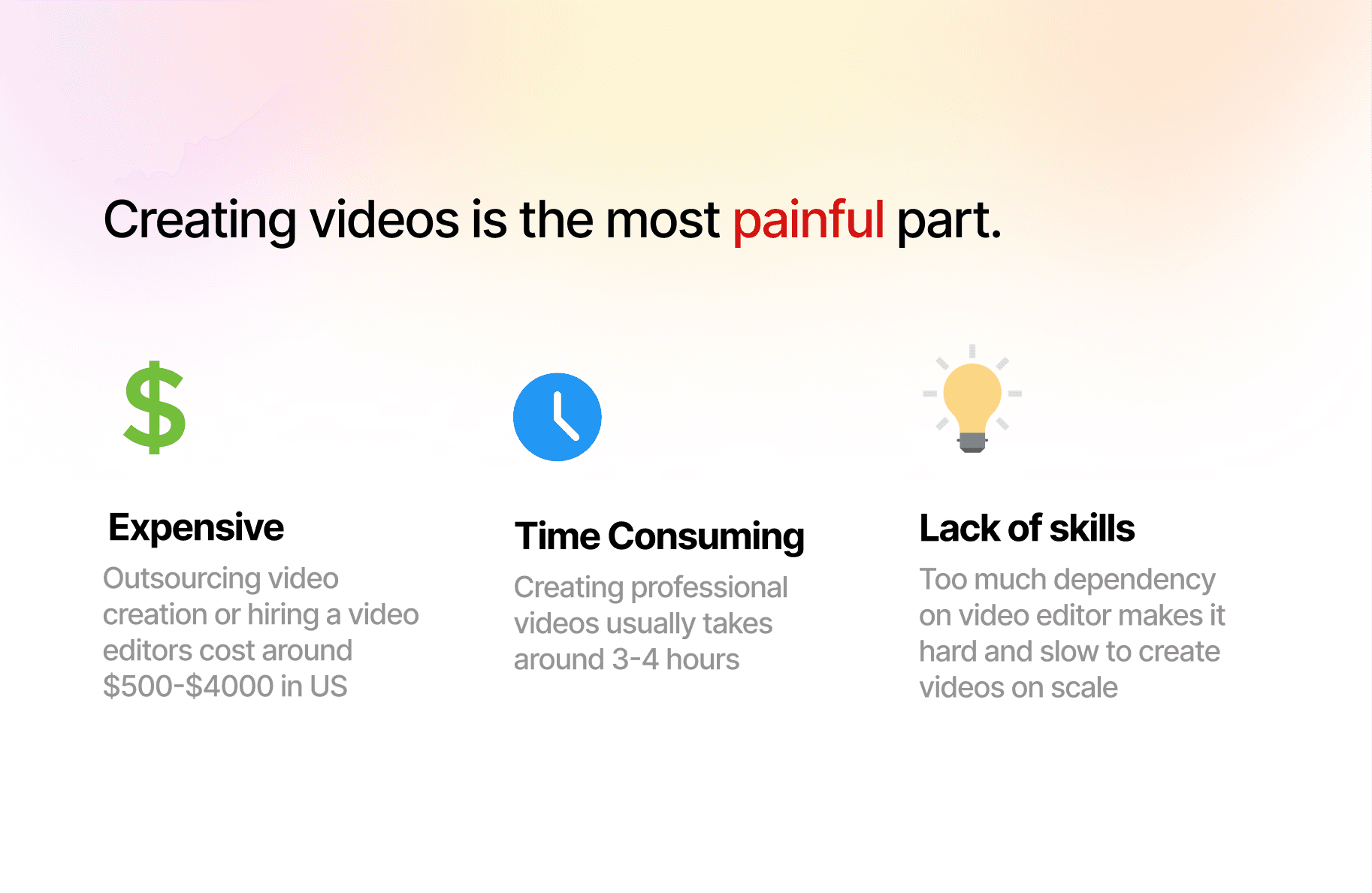
Outsourcing isn’t always an option, with production costs soaring to $3,000 per video.
Making impactful videos feels overwhelming—hours of work and a steep learning curve with editing tools.
Without high-quality videos, driving SaaS growth becomes an uphill battle.
No tool offers a simple user experience for people with limited editing experience.
Process ⏩
From day one, our mission at Mazic has been to create a video editing experience that is magical, intuitive, and lightning-fast.
I wanted the user to feel the joy ✨ of crafting high-quality product videos on a platform that evolves as rapidly as their creative needs do.
Strategy:
Conduct Research
Brainstorming Solutions
Shipping MVP
Key Focus Areas:
Launch a minimal viable product to confirm market need.
Shorten the launch timeline and focus on key features.
Identify the most impactful feature for early users.
Ensure the product fits the market and delivers a great experience.
During our pivot to Mazic, we realized that we were building features without fully understanding user needs—resulting in a product with great features but no demand. Before diving into development, we decided to validate the concept.
We gathered insights from early users, conducted interviews, and analyzed data from similar products. We focused on questions like:
Who would need a product video creation tool like Mazic, and why?
What features do users actually want?
How can we optimize the entire process for a smoother user experience?
How do we simplify the tool and its features for easier use?
What will be the core functionality that matters most?
What motivates users to purchase Mazic?
Solutions ✨
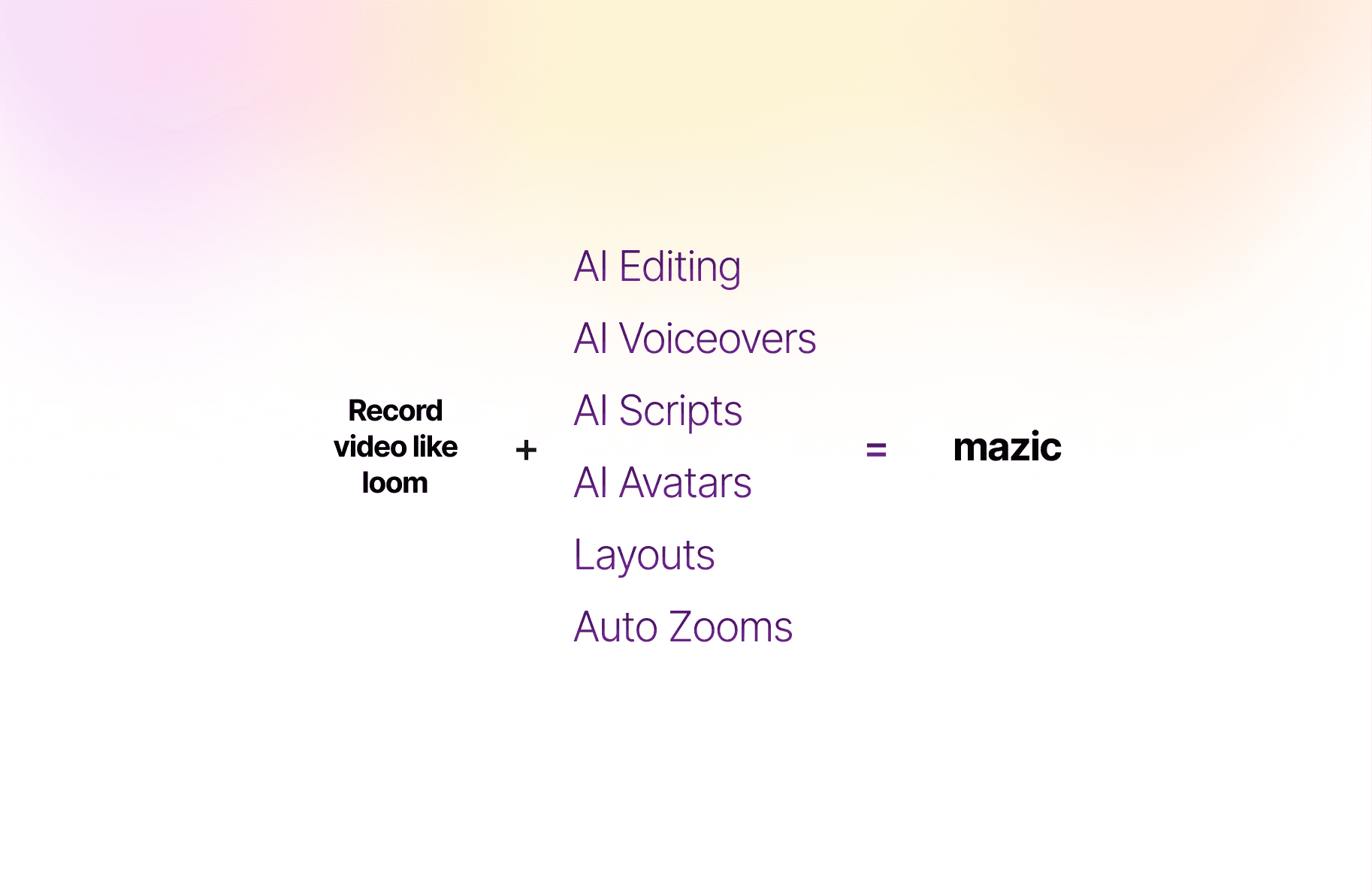
Mazic helps you create videos that WOWs your prospects & customers in 3 simple steps.
Record & Capture: Capture your content effortlessly.
Edit in Studio: Polish and customise your video if needed, with user friendly editing tools.
Share & Export: Instantly share or download your final video.
Record 🎥

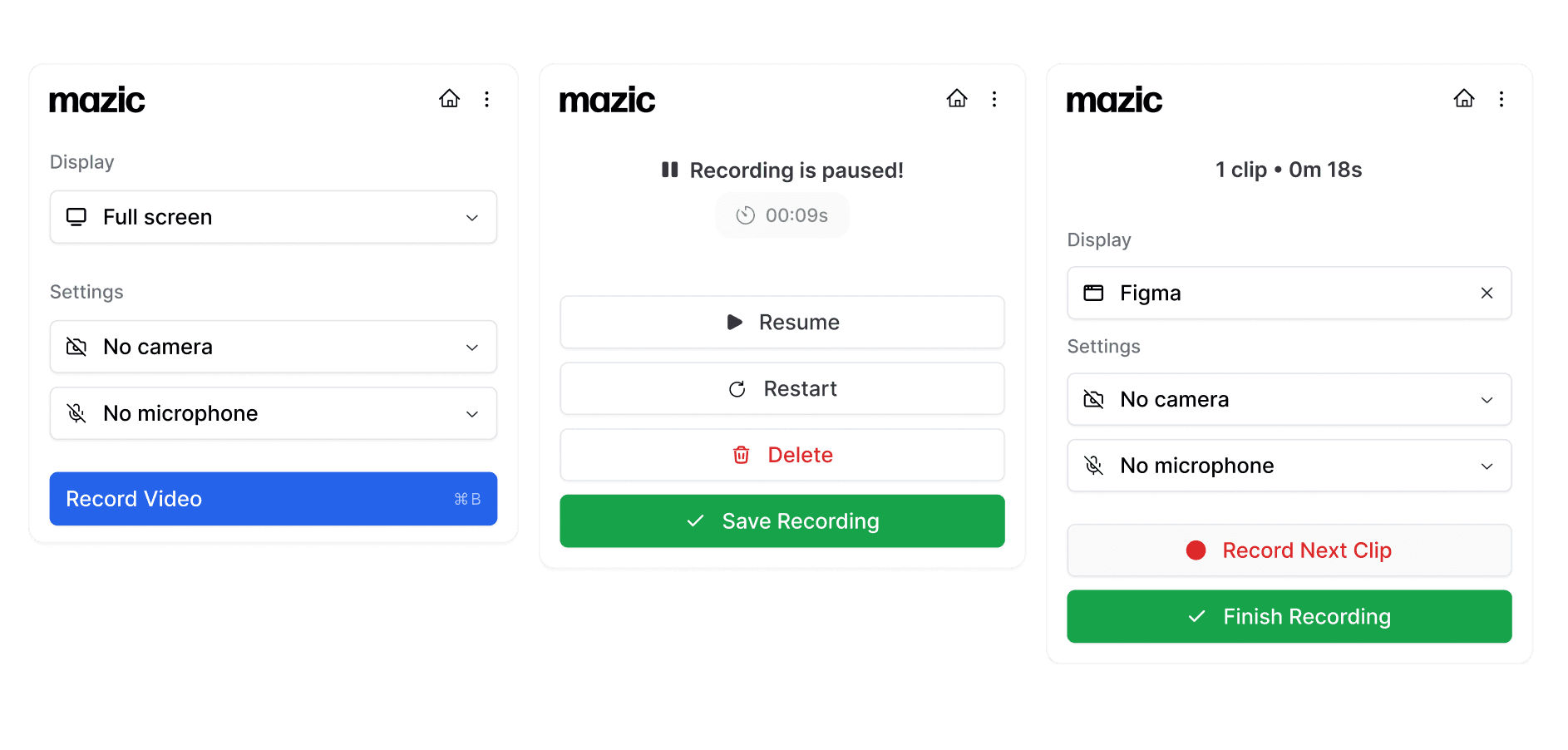
With just a few clicks, users can record their screen, camera, or both, while automatic editing, pan-zoom effects, and cursor shapes are applied seamlessly.
Edit ✏️
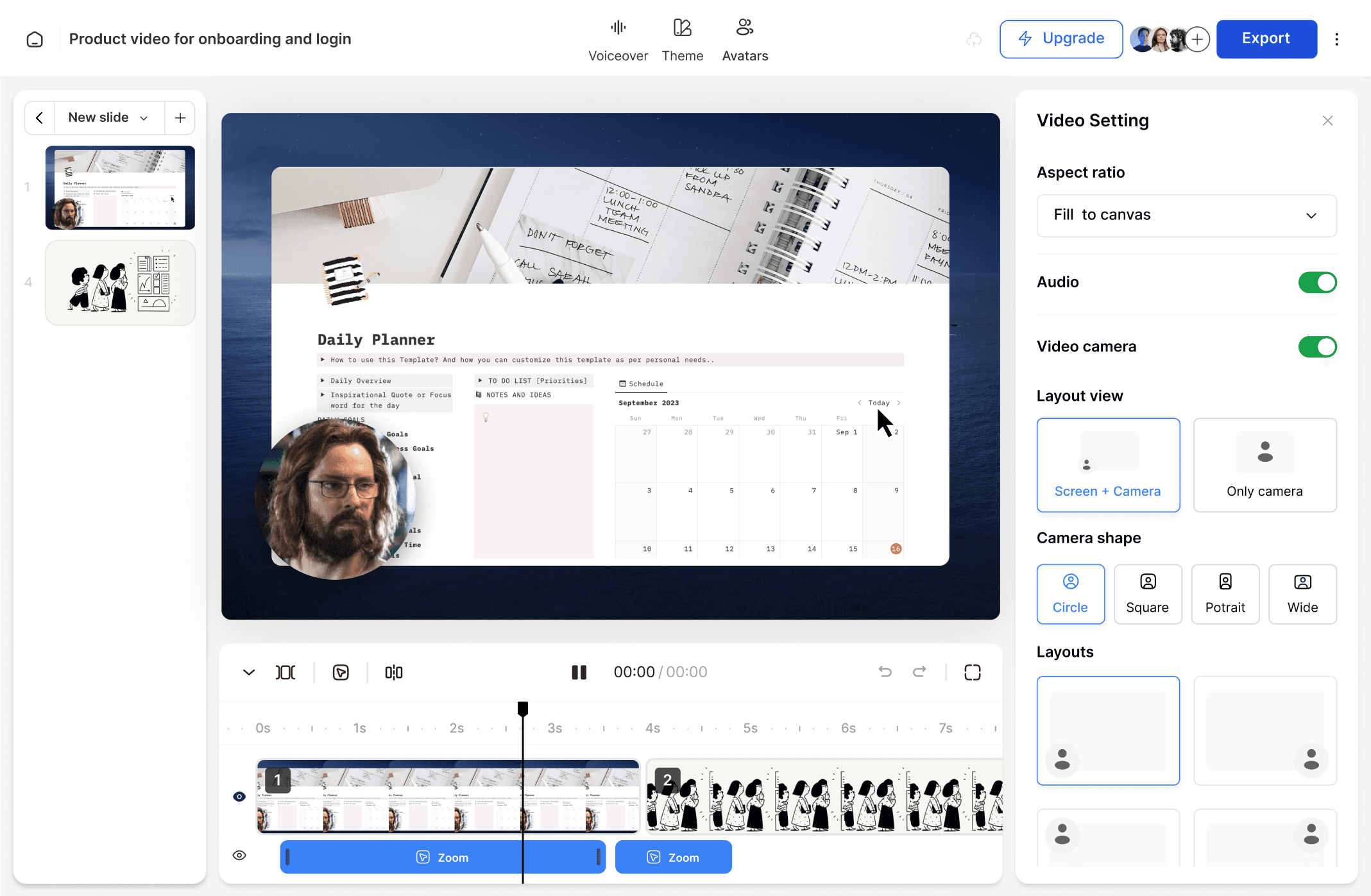
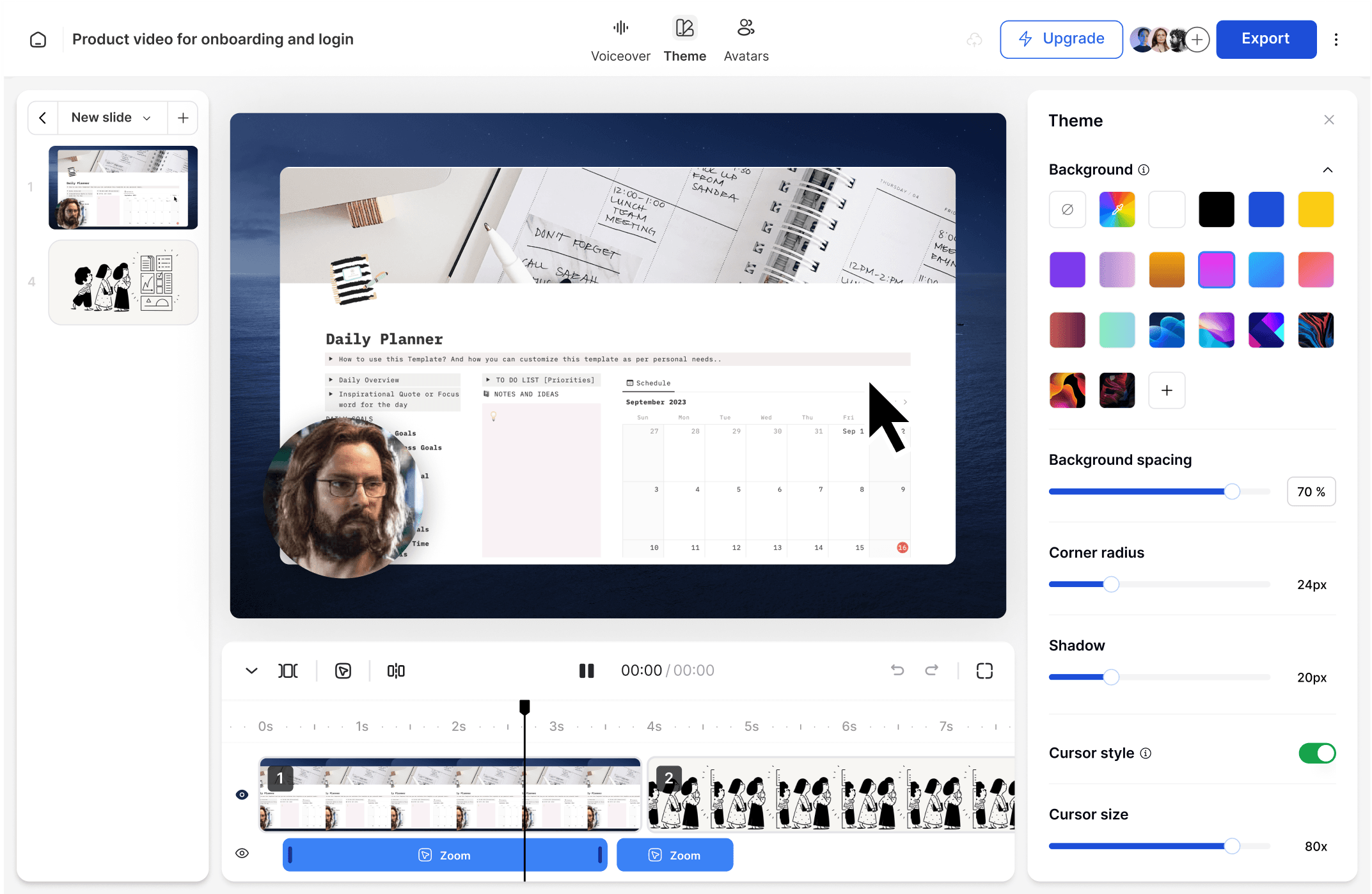
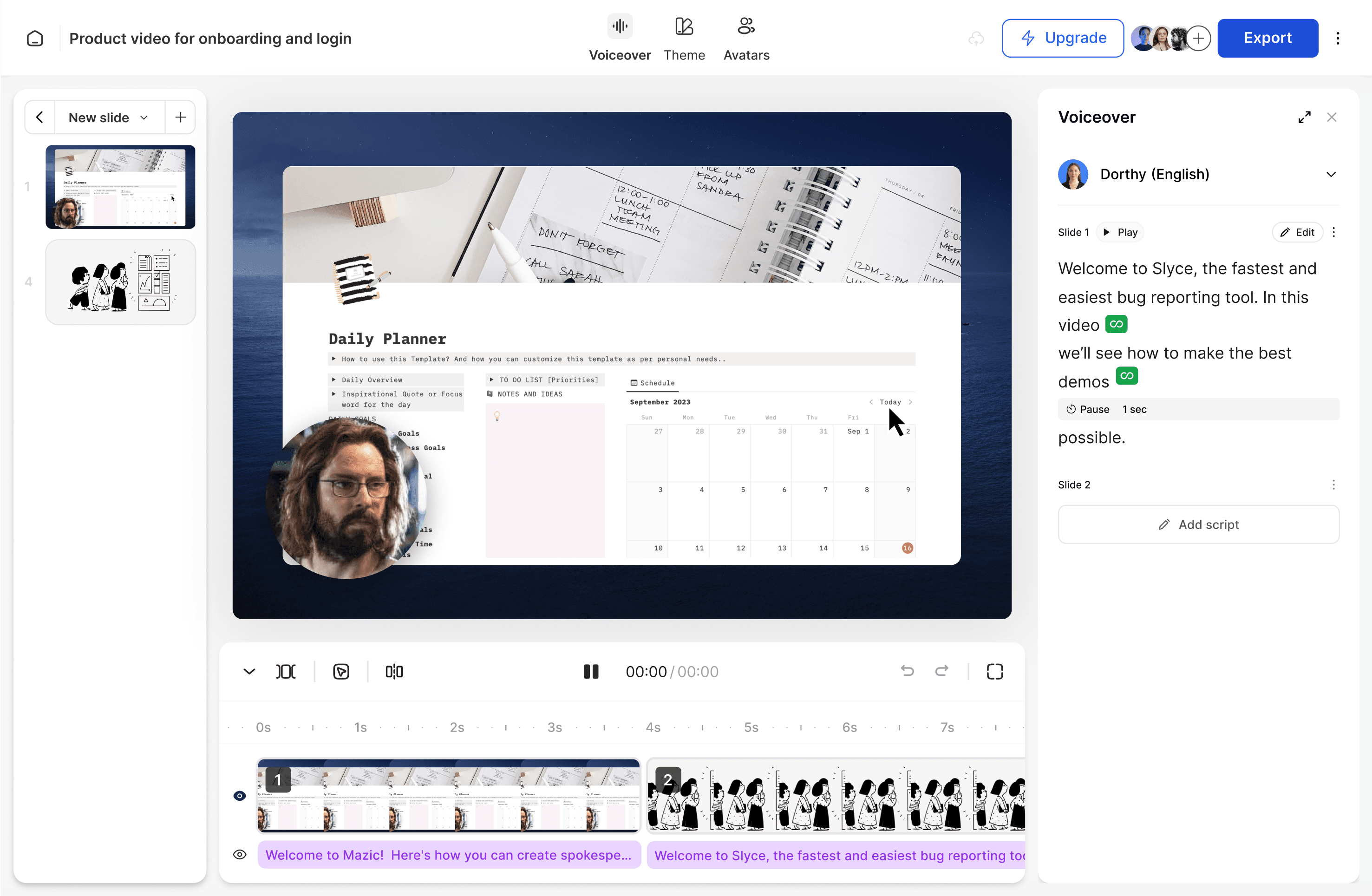
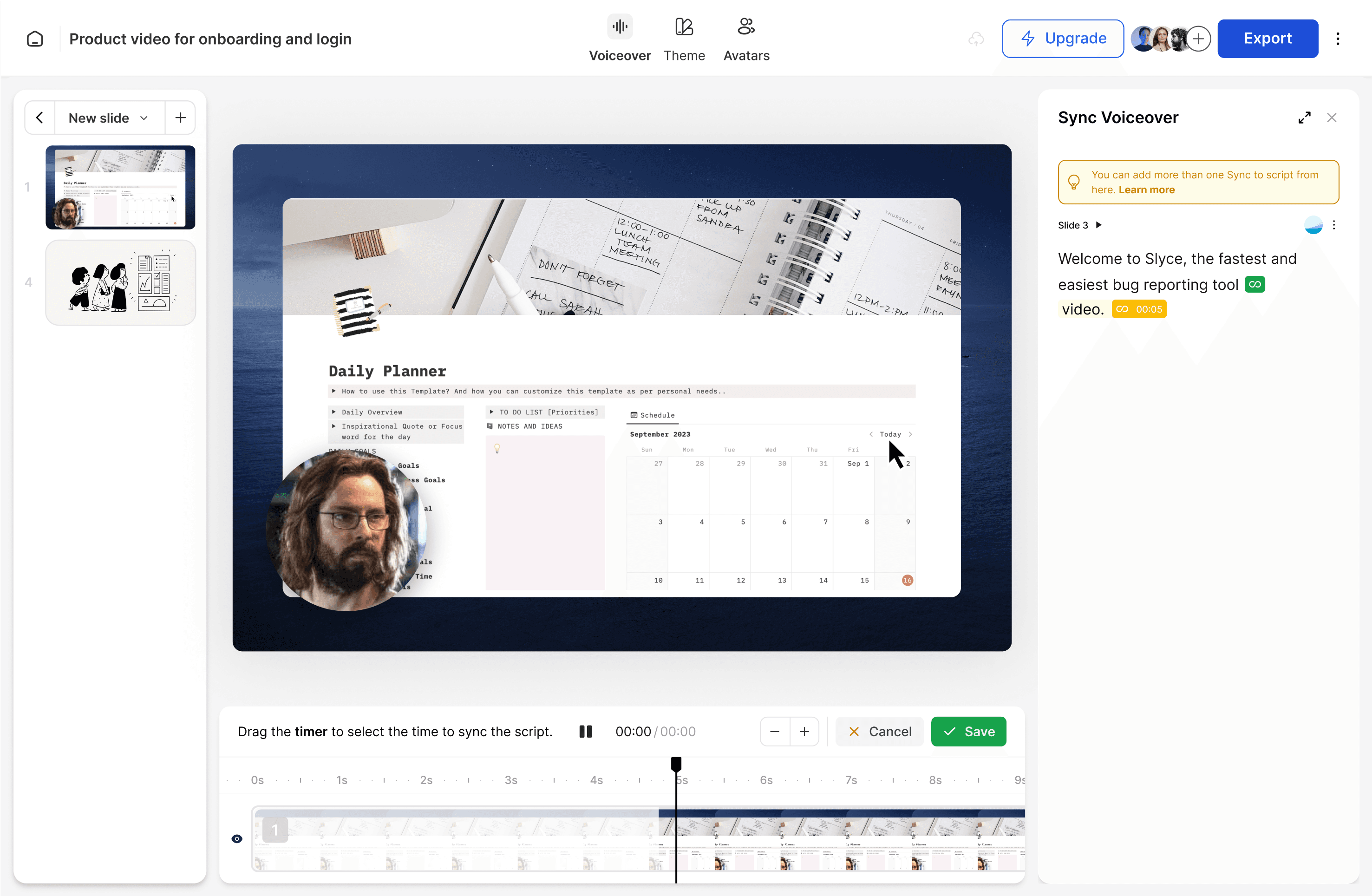
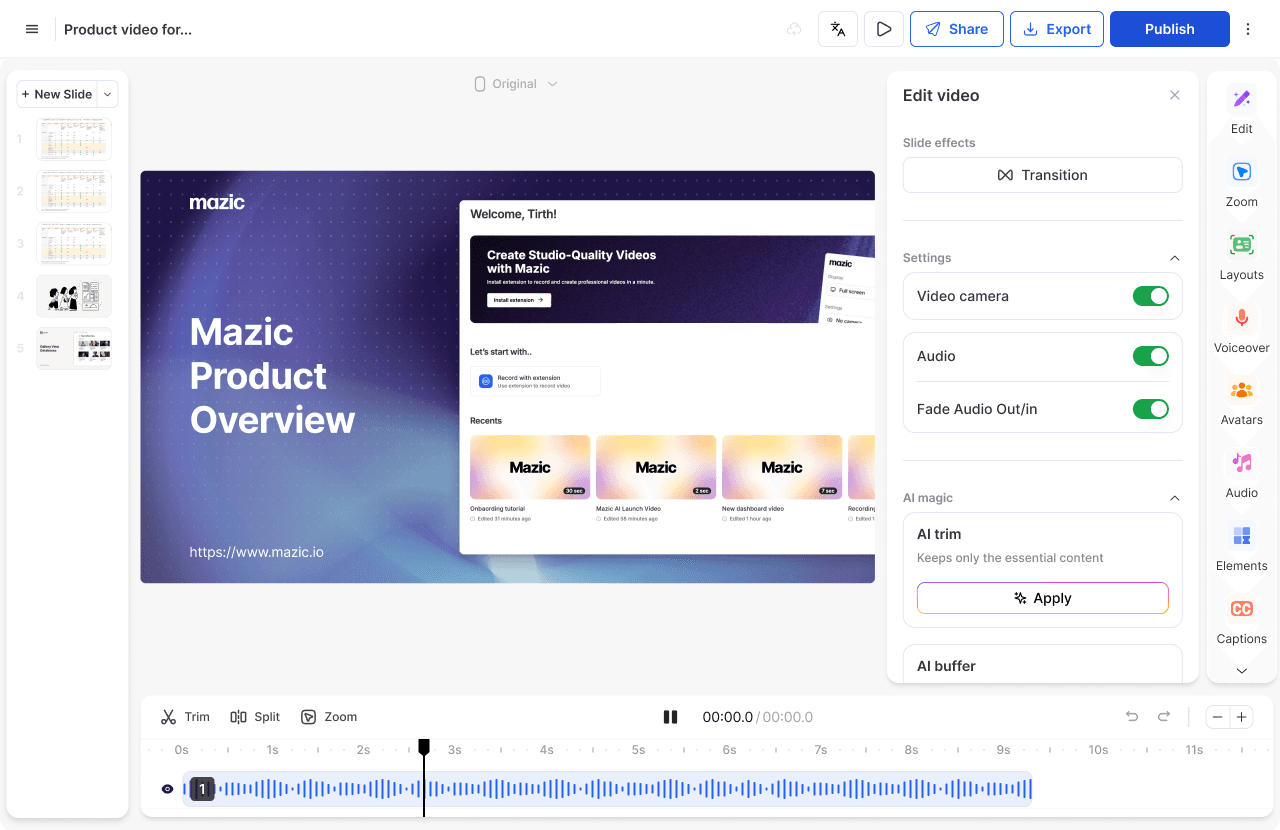
The recorded videos are directed to Mazic Studio, the software's powerhouse, where users can edit and enhance with tools such as trim, zoom effects, voiceovers, themes, and templates.
The Studio includes advanced features such as voiceover, syncing, and custom elements and layouts.
Staging Area
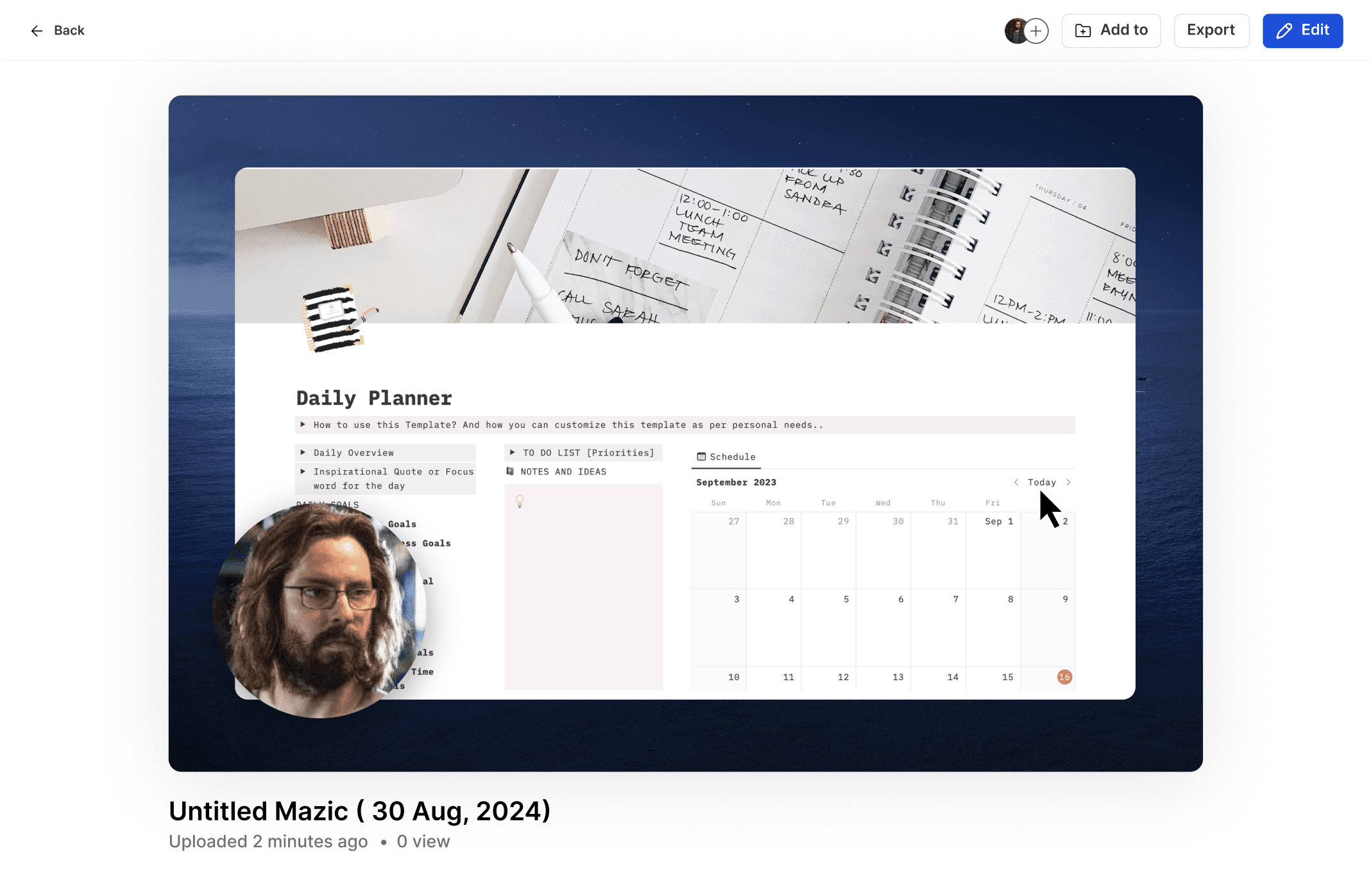
Studio Interface
Theme
Voiceover
Share and export 🚚
Share your videos anywhere online in an instant, while controlling access. Download them in 4K quality—perfect for sharing on your website, knowledge base, YouTube, LinkedIn, or X
Learnings and Improvements going forward
After gathering insights from active users and learning from trial and error, I began working on Mazic’s version 2.
We realized our initial approach was off-track—some features were global, while others were slide-specific.
The user experience in the beta suffered due to quick decisions made during our pivot from an 'interactive demo tool' to a focus on product demo videos.
We returned to the drawing board, refining the experience and revamping the product for better functionality and more useful features.
Thanks for dropping by …
If you are interested in what you saw or just want to give feedback, please get in touch.
Get in touch